🖥️ My Rig
My desktop gaming PC is the heart of my setup. It's a custom build I keep tuned for both productivity and gaming.
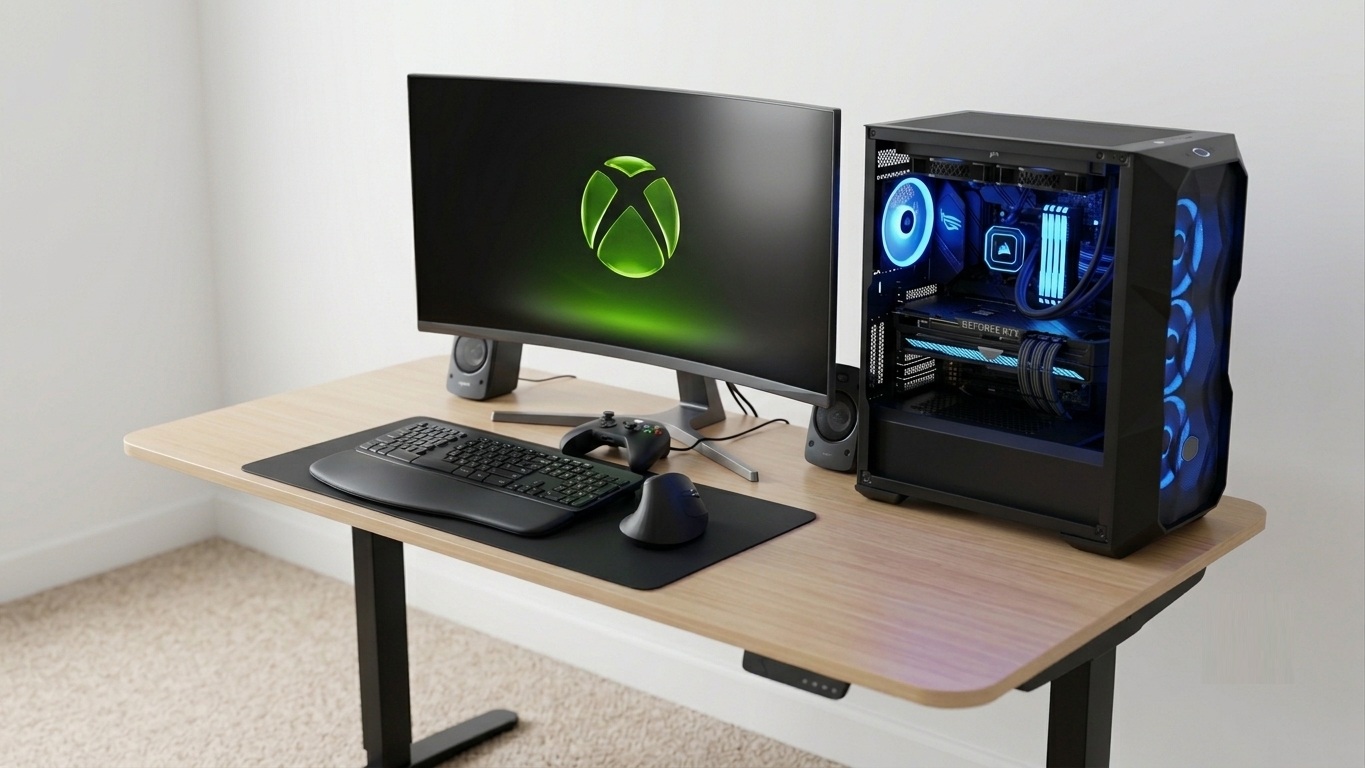
For the complete, up-to-date component breakdown (CPU, GPU, motherboard, memory, cooling, and more), check out my build on BuildCores.
🧩 Core Components
A few of the key parts in my current build.
Cooler Master MasterBox TD500 Mesh V2 ATX Mid Tower (Tempered Glass)
AMD Ryzen 9 3950X
Perfect balance for productivity and gaming.
ASUS ROG STRIX B550-F GAMING WIFI
ASUS ROG Strix GeForce RTX 3070 Ti OC Edition 8GB GDDR6X
Thinking about upgrading to a 5080, but not needed yet (waiting for a price drop).
Corsair Vengeance RGB Pro DDR4-3600 CL18 128GB (4x32GB)
Needed for containers and virtualization, overkill for gaming.
Deepcool CASTLE 360EX 360mm RGB (AIO Liquid)
WD_BLACK SN7100 1TB NVMe + Sabrent Rocket 2TB NVMe 4.0
ASUS ROG Strix 1000W Fully Modular (80+ Platinum)
Samsung Odyssey G5 C34G55T 34" 1440p 165Hz
Logitech Z906 5.1 Surround Sound System
I love the surround sound, great for games and even Teams calls with spatial audio 😁
💾 Dual-Boot, Dual SSD Setup
I run two separate SSDs, each with its own Windows 11 installation. This keeps work and gaming completely isolated, with separate drives, separate environments, and zero compromises.
💼 Work SSD
Windows 11 Enterprise
My dedicated work environment, kept clean and focused for productivity with no gaming clutter.
🎮 Gaming SSD
Windows 11 Pro
My dedicated gaming environment, booting straight into the Xbox full screen experience as a handheld-style device.
🎮 Xbox Full Screen Experience (Handheld Mode)
On the gaming SSD, I boot directly into the Xbox full screen experience, the same console-like, controller-first interface you find on handhelds like the ROG Ally. It turns my desktop into a big-screen console: no desktop clutter, no mouse required, just power on and play.
I enable it with the Xbox Full Screen Experience Tool by 8bit2qubit, a one-click GUI utility that safely turns on the hidden Xbox full screen gaming experience on Windows 11.
- Console-like boot straight into a controller-friendly UI
- Handheld experience to navigate my whole library with a controller
- Less overhead than the full Windows desktop while gaming
🚀 Game Launchers I Use
Xbox is my primary platform, but I keep a few launchers installed so my entire library is one click away.
Xbox ⭐
Primary
My main launcher for Game Pass, Play Anywhere titles, and the full screen experience.
Steam
Library
My largest catalog of games, with sales, mods, and a great community.
Epic Games
Library
Free weekly games and a few Epic exclusives.
EA
Publisher
EA Sports and racing titles (also included via EA Play with Game Pass).
Ubisoft Connect
Publisher
Assassin's Creed and other Ubisoft franchises.
Battle.net
Publisher
Blizzard and Activision titles.